Introduction: One Plus One Equals Eleven
Take a guess. One plus one. What is the result?
Two? In Java, the answer can be eleven.
It is not a calculation mistake. It happens because one of the two is not a number. It is text. In this part we meet the string.
After this part, you will know:
- How to store text and join pieces of text.
- Why a string in Java cannot be changed.
- What happens when a string is joined with a number.
Answer to the Part 3 Challenge
The question: int a = 7;, then double b = a;, then println(b). What is the output?
The answer is B: 7.0.
The content of an int box can go into a double box. And a double box always stores a decimal number. So 7 changes its form and becomes 7.0.
If you answered B, well done!
1. The Problem: Programs Are Full of Text
So far our boxes hold numbers, true or false, and one letter.
But real programs are full of text: user names, chat messages, email addresses.
One char box holds only one letter. To store longer text, Java has a special type: String.
2. A String Is a Necklace of Beads
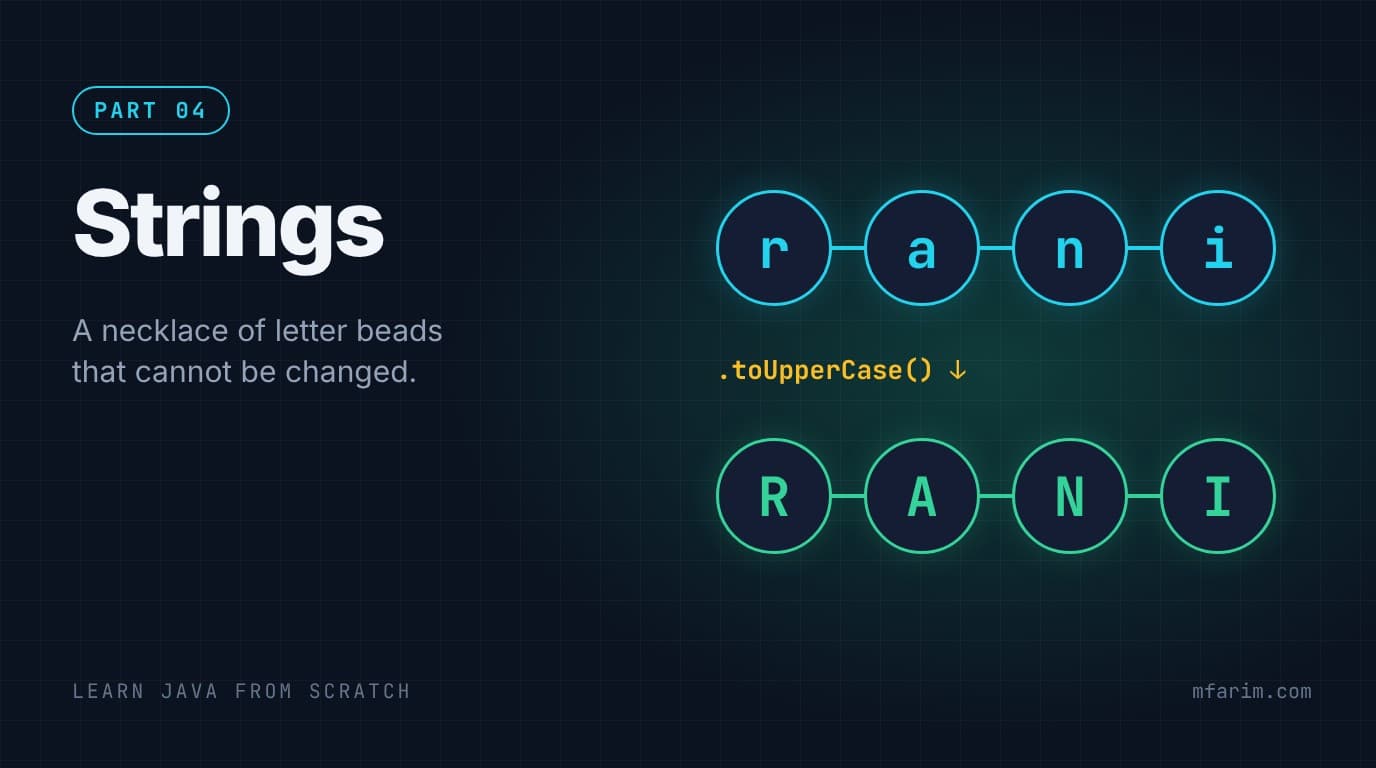
Picture a string as a necklace of beads. Each bead holds one letter, and the beads are placed in order.
The word rani is a necklace with four beads: r, a, n, i. Rani is a common Indonesian name.
There are two writing rules:
- A string is written between double quotes. Remember Part 3: single quotes for one character, double quotes for a string.
Stringstarts with a capital S. This shows thatStringis not a primitive type. It is a more advanced type. We explain why in the part about classes.
3. Joining and Measuring Strings
Create a file named Teks.java. Teks means "text". Then type:
void main() {
    String nama = "rani";
    IO.println("Halo, " + nama + "!");
    IO.println(nama.length());
    IO.println(nama.toUpperCase());
}
Halo, rani!
4
RANI
Let us look at each piece. The variable nama means "name".
The + sign joins strings. "Halo, " is joined with the content of the nama box, and then with "!". Two necklaces are joined into one longer necklace.
A string has built-in abilities. You call an ability with a dot.
| Code | Meaning | Result |
|---|---|---|
nama.length() | How long is it? | 4, because there are four beads |
nama.toUpperCase() | Change all letters to capital letters | RANI |
An ability like this is called a method. We cover methods fully in Part 10. For now, just remember the pattern: the box name, a dot, the method name, then an opening and a closing bracket.
4. The Surprise: A String Cannot Be Changed
Now comes the surprising part. Run this code:
void main() {
    String nama = "rani";
    nama.toUpperCase();
    IO.println(nama);
}
We called toUpperCase(). So the result is RANI, right?
rani
Still small letters. Why?
Because a string in Java cannot be changed. The technical word is immutable.
Let us look into memory. toUpperCase() does not repaint the old necklace. The method builds a new necklace with capital letters.
But we do not store that new necklace anywhere. So it is simply lost. The nama box still holds the old necklace.
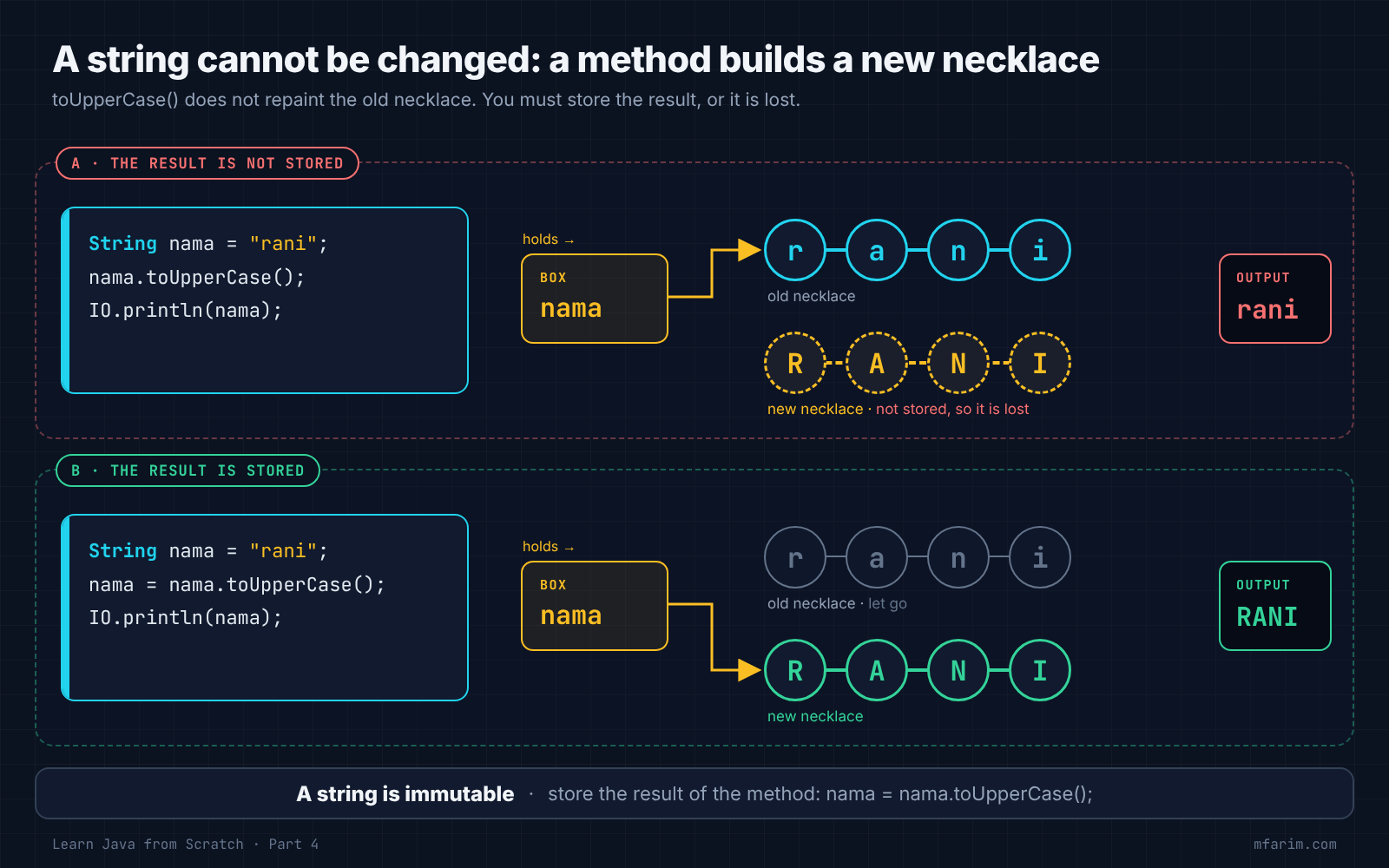
Click the diagram to open it in full size.
To make the change stay, store the result:
void main() {
    String nama = "rani";
    nama = nama.toUpperCase();
    IO.println(nama);
}
RANI
Now the nama box holds the new necklace.
5. A String Meets a Number
What happens when a string is joined with a number?
void main() {
    IO.println("Umur: " + 17);
    IO.println(1 + 1);
    IO.println("1" + 1);
}
Umur: 17
2
11
In the first line, Java turns 17 into text beads and then joins them.
The rule: as soon as there is a string in an addition, the + sign changes its job. It stops adding and starts joining.
| Code | The job of + | Result |
|---|---|---|
1 + 1 | Adds two numbers | 2 |
"1" + 1 | Joins text with a number | 11 |
This is the answer to the puzzle in the introduction. "1" inside quotes is text. So the bead 1 is joined with the bead 1, and the result is 11.
6. A Real Example: A Name Card
Create a file named KartuNama.java, which means "name card":
void main() {
    String depan = "Rani";
    String belakang = "Putri";

    String lengkap = depan + " " + belakang;
    IO.println(lengkap);
    IO.println("Panjang: " + lengkap.length() + " huruf");
}
Rani Putri
Panjang: 10 huruf
Here depan is the first name, belakang is the last name, and lengkap is the full name. The last line says "Length: 10 letters".
Look at the " " in the middle. It is a string that holds one space.
Java does not add a space for you. Without that space string, the two names stick together:
| Code | Result |
|---|---|
depan + " " + belakang | Rani Putri |
depan + belakang | RaniPutri |
And why is the length 10? Four letters in Rani, one space, and five letters in Putri. Yes, a space also counts as one bead.
7. Three String Traps
Trap one: forgetting that a string cannot be changed.
Calling nama.toUpperCase() without storing the result changes nothing. Remember the new necklace that was lost.
Trap two: a string in single quotes.
String nama = 'rani';
Java thinks this is a char. Because it has more than one letter, javac complains:
Teks.java:2: error: unclosed character literal
    String nama = 'rani';
                  ^
Teks.java:2: error: unclosed character literal
    String nama = 'rani';
                       ^
Teks.java:2: error: not a statement
    String nama = 'rani';
                    ^
3 errors
Do not be surprised to see three errors for one typing mistake. This happens often. Fix the first error, then compile again. The others usually go away too.
Trap three: comparing two strings with ==.
void main() {
    String a = "rani";
    String b = "RANI".toLowerCase();

    IO.println(b);
    IO.println(a == b);
    IO.println(a.equals(b));
}
rani
false
true
The content of a and b is exactly the same: rani. But a == b gives false.
To compare the content of two strings, use .equals().
| Code | Result | Note |
|---|---|---|
a == b | Can be false even when the text is the same | Do not use it for strings |
a.equals(b) | true when the text is the same | Use this one |
The reason is linked to how memory stores strings. We explain it in Part 13.
Summary
- A string stores text. It is written between double quotes, like a necklace of letter beads.
- The
+sign joins strings. As soon as there is a string, a number becomes text too. - A string cannot be changed. A method like
toUpperCase()builds a new string, so store the result.
Challenge
Look at this code:
void main() {
    IO.println("Skor: " + 2 + 3);
}
Skor means "score". What is the output?
- A.
Skor: 5 - B.
Skor: 23 - C. An error.
Try to answer before you run it. I explain the answer at the start of Part 5.
Conclusion & What's Next
Your program can now store text, join it, and measure its length. If you remember only one thing, remember the new necklace: a string method does not change the old necklace, so you must store the result.
In Part 5 we learn to calculate and to compare. There is a pair of scales, a gate that needs two keys, and a division with a surprising result.
See you in Part 5. Get your coffee ready. Hot chocolate is fine too.

Written by Muhammad Fari Madyan
Senior Backend Engineer and co-founder of LampungDev. I write up what I build so others can learn from it.