Introduction: Four Pieces of Data, One Rejection
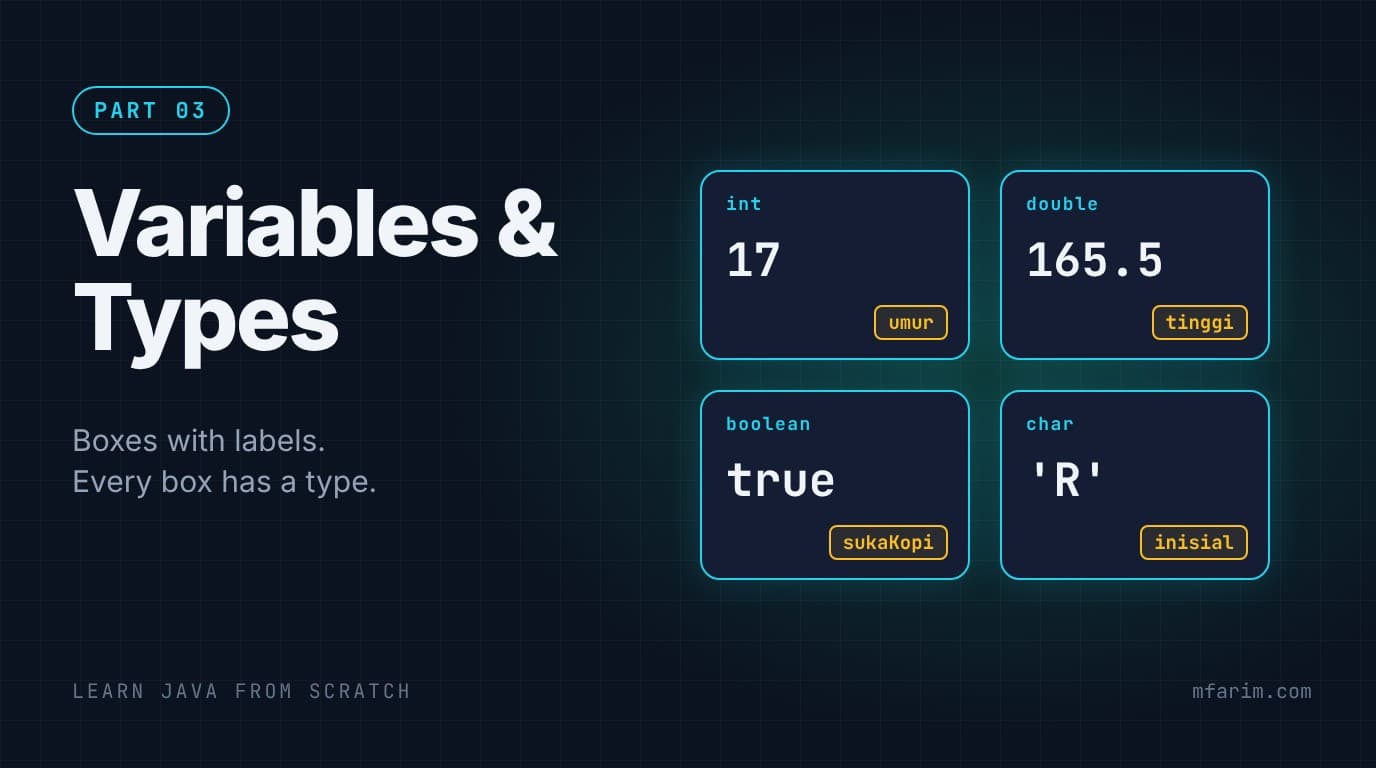
Age: 17. Height: 165.5. Likes coffee? Yes. Initial: R.
Four simple pieces of data. But try to put the number 9.99 into the wrong box, and Java rejects it at once.
Why is Java so strict? In this part we find out.
After this part, you will know:
- What a variable is and how to create one.
- The four data types you will use most:
int,double,booleanandchar. - Why
javacrejects a value that does not fit its box.
Answer to the Part 2 Challenge
The question: print("Halo, "), then println("Dunia!"), then println("Siap belajar."). What is the output?
The answer is A.
Halo, Dunia!
Siap belajar.
print does not move to a new line. So Dunia! continues on the same line. Only after println does the next text move down to the second line.
If you answered A, well done!
1. The Problem: A Program Must Remember
Our program in Part 2 could only show text that was already fixed.
A real program must remember things:
- a game score that keeps growing,
- a balance that goes down every time you shop,
- a user name that someone has just typed.
All of these need a place to be stored. That place is called a variable.
2. A Variable Is a Box with a Label
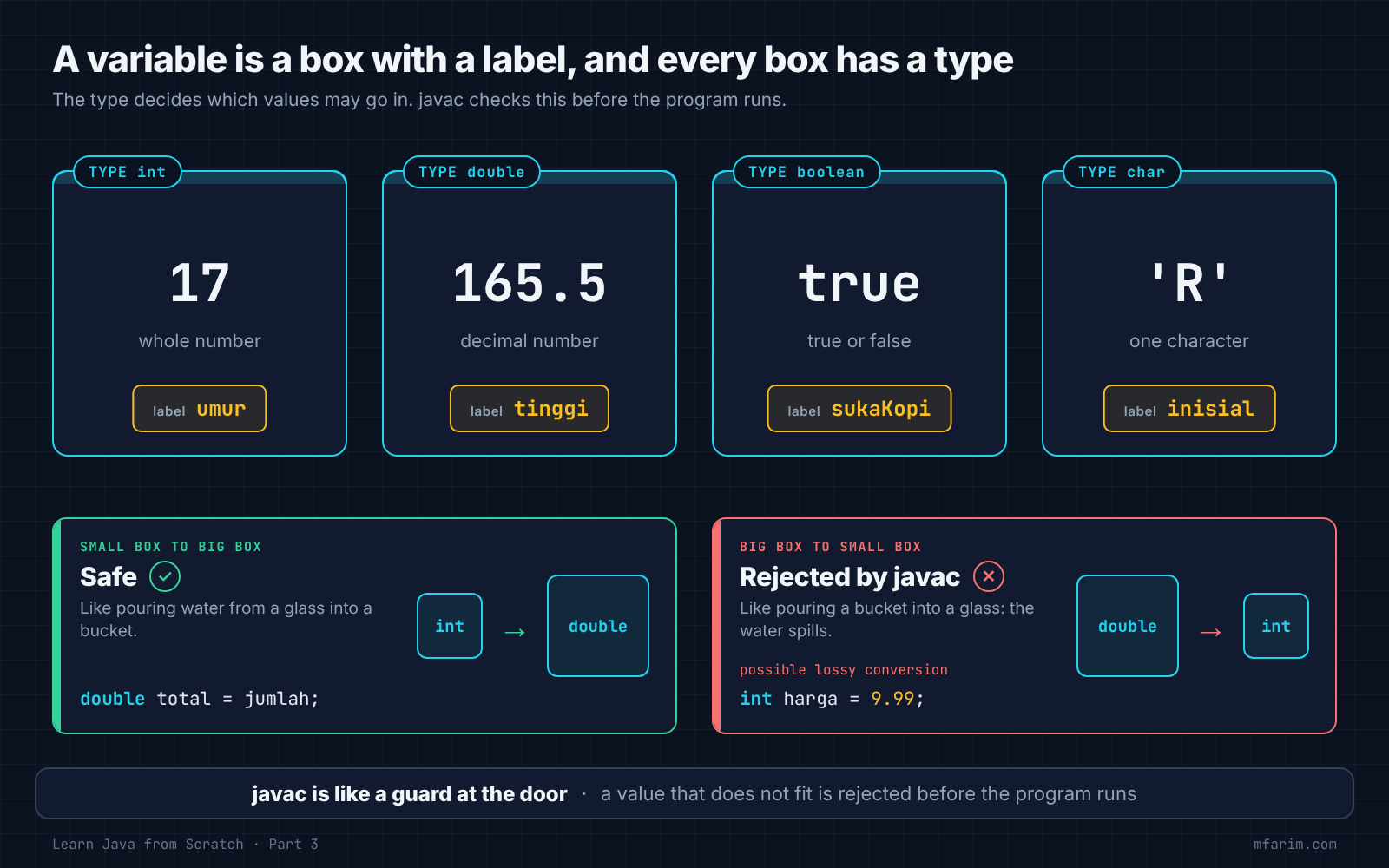
Picture a variable as a box with a label.
- The label is the name of the variable, for example
umur. It means "age" in Indonesian. - The content is the value, for example
17.
In Java, every box also has a kind. This kind is called a data type.
A box for whole numbers only accepts whole numbers. A box for letters only accepts letters.
Before your program runs, javac checks the content of every box, like a guard at a door. A value that does not fit is rejected.
Strict? Yes. But because of this, many mistakes are found early, before anyone uses the program.
Click the diagram to open it in full size.
3. The Four Types You Will Use Most
| Type | Used for | Example value |
|---|---|---|
int | Whole numbers | 17, a number of items |
double | Decimal numbers | 165.5, a price, a height |
boolean | Only two possible values | true or false |
char | One character, between single quotes | 'R' |
All four are primitive types. These are the most basic types in Java.
There are eight primitive types in total, because numbers have boxes of different sizes. Here are three of them:
| Type | Size | Holds up to |
|---|---|---|
byte | 1 byte | -128 to 127 |
int | 4 bytes | about 2.1 billion |
long | 8 bytes | about 9 quintillion |
A bigger box uses more memory. A long box is big enough to count all the people on Earth many times over.
For learning, int and double are enough.
4. Writing the Code and Looking into Memory
Create a file named Kotak.java. Kotak means "box". Then type:
void main() {
    int umur = 17;
    double tinggi = 165.5;
    boolean sukaKopi = true;
    char inisial = 'R';

    IO.println(umur);
    IO.println(tinggi);
    IO.println(sukaKopi);
    IO.println(inisial);
}
The names mean: umur is age, tinggi is height, sukaKopi is "likes coffee", and inisial is initial.
Run it with java Kotak.java. The result:
17
165.5
true
R
Every line has the same pattern: type, name, the = sign, value, then a semicolon.
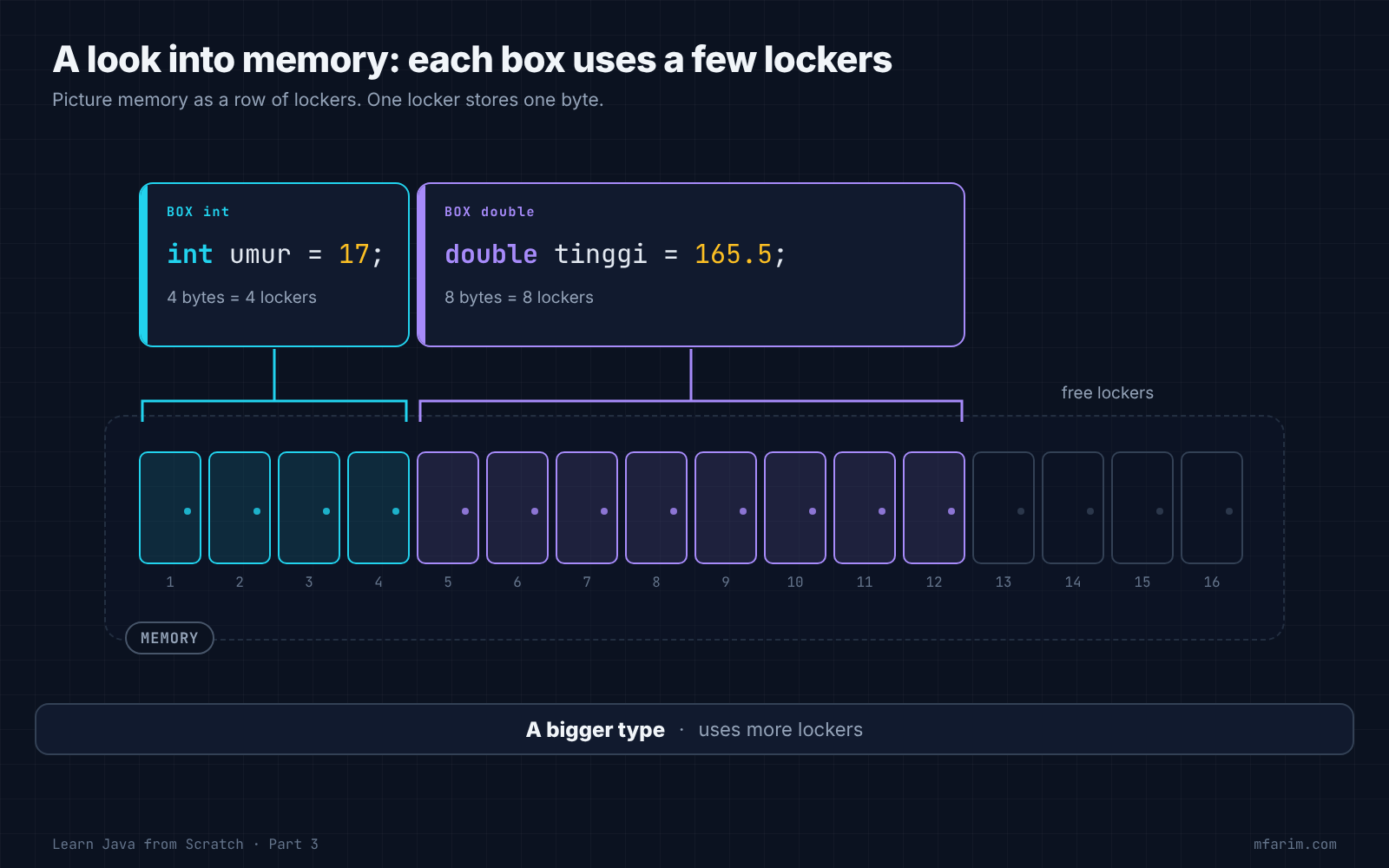
Now we look into memory. Picture the computer's memory as a row of small lockers. One locker stores one byte.
When Java runs int umur = 17;, three things happen:
- Java prepares an
intbox with the labelumur. - Java puts
17into it. - The box is placed in memory. An
intbox uses 4 bytes, so 4 lockers.
A double box is bigger. tinggi uses 8 bytes, so 8 lockers.
Click the diagram to open it in full size.
5. Changing the Content of a Box
The = sign here does not mean "equals" as in a maths lesson. It means: put the value on the right into the box on the left.
Add these two lines at the end of main:
    umur = 18;
    IO.println(umur);
The result:
18
There are three things to notice.
You do not write int again. The box already exists. The old value goes out and the new value goes in. If you write int umur = 18; a second time, javac rejects it, because a box named umur already exists.
println(umur) has no quotes. Java opens the umur box and shows its content. If you write println("umur") with quotes, you see the text umur, not 18.
The naming rule. The second word starts with a capital letter and there is no space, as in sukaKopi. This style is called camelCase. And remember, Java treats capital and small letters as different. umur and Umur are two different names.
6. Moving a Value to Another Box
What happens when you move the content of one box to another box?
From a small box to a big box: safe. The content of an int box can go into a double box. It is like pouring water from a glass into a bucket.
void main() {
    int jumlah = 3;
    double total = jumlah;
    IO.println(total);
}
3.0
From a big box to a small box: rejected. It is like pouring a bucket into a glass: the water spills.
int harga = 9.99;
Kotak.java:2: error: incompatible types: possible lossy conversion from double to int
    int harga = 9.99;
                ^
1 error
"Possible lossy conversion" means: something could be lost. The number 9.99 cannot go into an int box, because the digits after the decimal point would be thrown away.
| Direction | Example | Result |
|---|---|---|
| Small to big | int to double | Safe |
| Big to small | double to int | Rejected by javac |
7. Three Beginner Traps
Trap one: writing a decimal number with a comma.
In Indonesia, and in many other countries, people write decimals with a comma: 165,5. In Java code, a decimal number must use a dot: 165.5. With a comma, javac gets confused:
Kotak.java:2: error: <identifier> expected
    double tinggi = 165,5;
                        ^
1 error
The message does not mention the word "comma". So if you see a strange error on a line with a decimal number, check the comma first.
Trap two: char with double quotes.
Single quotes are for one character. Double quotes are for a string. "R" is a string, and a string cannot go into a char box.
Kotak.java:2: error: incompatible types: String cannot be converted to char
    char inisial = "R";
                   ^
1 error
Trap three: a huge number in a long box.
long penduduk = 8000000000;
Kotak.java:2: error: integer number too large
    long penduduk = 8000000000;
                    ^
1 error
Java treats every whole number you write as an int, and eight billion does not fit in an int. Add a capital L at the end, so Java knows it is a long.
A bonus: you can use underscores to separate thousands, so long numbers are easier to read.
long penduduk = 8_000_000_000L;
Summary
- A variable is a box with a label. It stores a value, and the value can be changed.
- Every box has a data type:
intfor whole numbers,doublefor decimals,booleanfortrueorfalse,charfor one character. javacchecks the content of every box. Small box to big box is safe. The other direction is rejected.
Challenge
Look at this code:
void main() {
    int a = 7;
    double b = a;
    IO.println(b);
}
What is the output?
- A.
7 - B.
7.0 - C. An error.
Try to answer before you run it. I explain the answer at the start of Part 4.
Conclusion & What's Next
Your program now has a memory. You can create a box, give it a name, fill it, and change its content. You also know why Java is strict: a wrong value is found before the program runs.
But our boxes can only store numbers, true or false, and one letter. In Part 4 we meet strings, which are text in Java. Picture a necklace of letter beads that cannot be changed. Why not?
See you in Part 4. Get your coffee ready. Hot chocolate is fine too.

Written by Muhammad Fari Madyan
Senior Backend Engineer and co-founder of LampungDev. I write up what I build so others can learn from it.