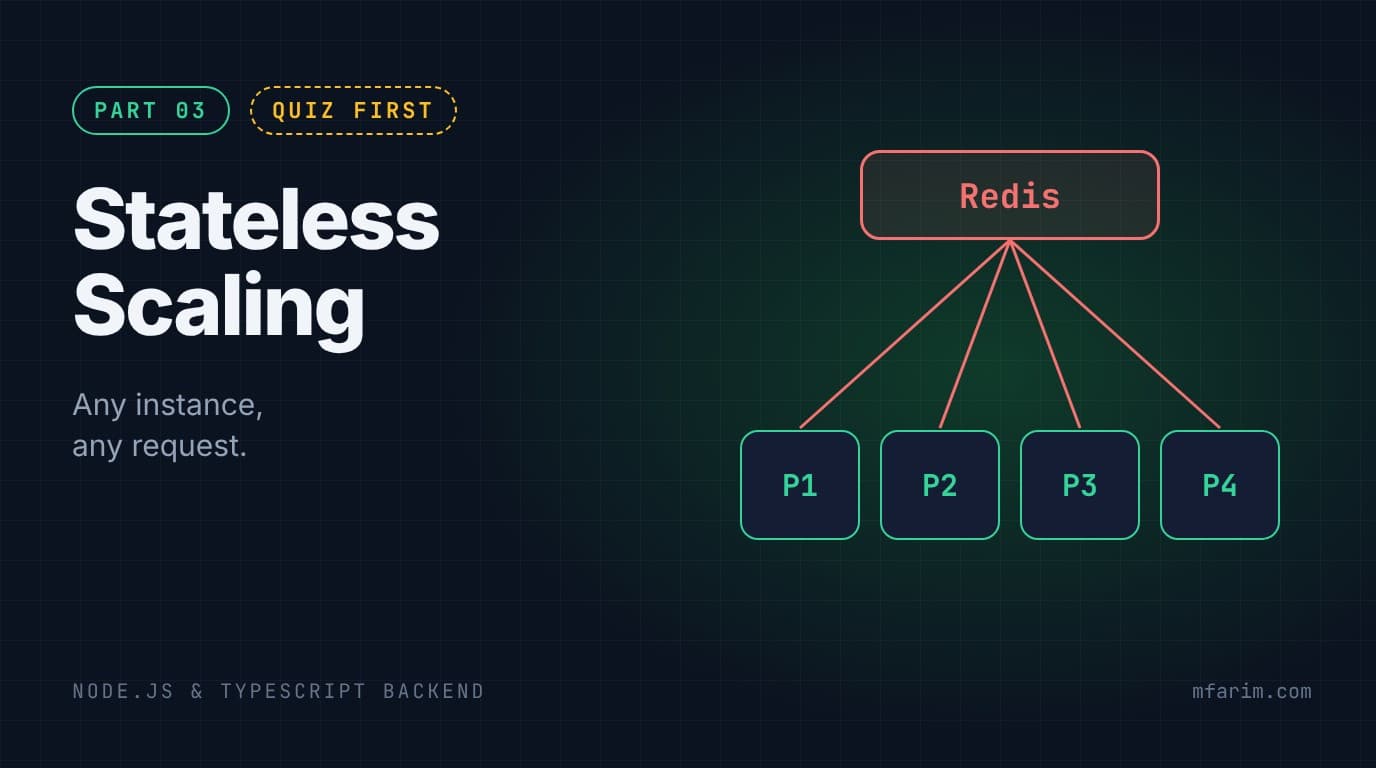
Opening: The Rate Limit That Suddenly Leaks
The rule is clear: at most 5 login attempts per minute from one IP address. On your laptop, the sixth attempt gets a 429. The tests are green.
Then the app runs as 4 processes so it can take more traffic. Someone tries 20 times in one minute.
All 20 attempts get through.
Not one line of code changed. Only the number of processes did. In this part we look at what a stateless app means, why it is the requirement for scaling, and where state hides without us noticing.
Warm-Up Quiz: Do You Still Remember?
Answer first. All correct? Jump to the Summary. Missed one? Let's refresh the material.
Question 1. The rate limiter below keeps its counts in a Map. The app runs as 4 processes (cluster), and one IP sends 20 requests. How many get through?
const hitungan = new Map(); // in this process's memory

http.createServer((req, res) => {
  const ip = req.socket.remoteAddress;
  const n = (hitungan.get(ip) ?? 0) + 1;
  hitungan.set(ip, n);
  if (n > 5) { res.statusCode = 429; return res.end('terlalu banyak\n'); }
  res.end('ok\n');
}).listen(3000);
- A. 5
- B. Up to 20
- C. 0, because of an error
Show the answer to question 1
B. Each process has its own Map (hitungan means counts). Requests are spread evenly across the 4 processes, so each one only sees 5 requests and thinks everything is fine. In my test, 20 out of 20 got through.
Question 2. Login sessions are kept in memory (for example the default MemoryStore of express-session). Cloud Run scales from 1 instance to 3. What do users notice?
- A. Nothing, sessions are copied across
- B. They sometimes get logged out out of nowhere
Show the answer to question 2
B. A session only exists on the instance that created it. When the next request lands on another instance, the session is not found.
Question 3. Viewer A is connected over WebSocket to process 1. A seat checkout happens in process 2, which announces it through a local EventEmitter. Does viewer A's screen change?
- A. Yes
- B. No
Show the answer to question 3
B. An EventEmitter only lives inside one process. Process 1 never hears a thing.
Question 4. The app has a setInterval that sends a reminder email every morning. It runs on 4 instances. How many emails does each attendee get?
- A. 1
- B. 4
Show the answer to question 4
B. Every instance runs its own timer. Four instances, four emails.
Question 5. We use Redis Pub/Sub to spread events to every process. One process is restarting when a message is published. Once it is back up, does it receive that message?
- A. Yes, Redis keeps it
- B. No, the message is lost for that process
Show the answer to question 5
B. Redis Pub/Sub is fire-and-forget: a message only reaches subscribers that are connected right now. Nothing is stored.
What did you score? Let's take them apart.
1. What Does Stateless Mean?
A stateless app means: any instance can answer any request, and any instance can be shut down at any moment without losing data.
Picture a bank with many tellers. You can go to any teller, because your balance is not kept in the teller's drawer. It lives in the central system. Tellers can take a break, be replaced or be added, and customers never notice.
If your balance were kept in teller number 2's drawer, you would always have to queue for teller 2. And the day they are off sick, your balance is gone too.
That is why stateless is the requirement for scaling. Platforms like Cloud Run add and remove instances to follow traffic, and can shut an instance down at any time (how to handle that is Part 4). If important data only lives in one instance's memory, it dies with that instance.
The rule: data that must survive, or that every instance must see, lives outside the process:
- the database for the main data,
- Redis for fast shared data (sessions, rate limit counts, locks, a shared cache),
- object storage (for example Cloud Storage or S3) for files.
2. Where State Hides
State rarely looks like "state". It usually poses as an ordinary variable. Here is a list to check in your own app:
| In memory | Symptom with many instances | Move it to |
|---|---|---|
| Login sessions | Users get logged out now and then | Redis, or tokens (JWT) |
| Rate limit counts | The limit is multiplied by the number of instances | Redis (INCR) |
| WebSocket clients per room | Some users never get the update | Redis Pub/Sub as a bus |
setInterval / cron | The job runs N times | A separate scheduler, or a lock |
| Uploads on local disk | Files "disappear" on other instances | Object storage |
A flag like let isSyncing = true | Two instances sync at the same time | A lock in Redis or the database |
A cache in a Map | Different data per instance | Fine, as long as briefly stale data is OK |
The last row matters: an in-memory cache is not always wrong. For data that rarely changes and can be a few seconds stale, such as a list of categories, a local cache is the fast option. What you must not do is use a local cache for quotas, stock, or anything that has to be exact.
3. Fixing the Rate Limit with Redis
Here is the rate limiter from question 1, now with the count kept in Redis:
const cluster = require('node:cluster');
const http = require('node:http');
const Redis = require('ioredis');

if (cluster.isPrimary) {
  for (let i = 0; i < 4; i++) cluster.fork();
} else {
  const redis = new Redis(process.env.REDIS_URL ?? 'redis://localhost:6379');

  http.createServer(async (req, res) => {
    const key = `ratelimit:${req.socket.remoteAddress}`;
    const [[, n]] = await redis.multi().incr(key).expire(key, 60, 'NX').exec();
    if (n > 5) { res.statusCode = 429; return res.end('terlalu banyak\n'); }
    res.end(`ok dari proses ${process.pid}\n`);
  }).listen(3000);
}
Send 20 requests and count the status codes:
== limit-memori.js
     20 200
== limit-redis.js
      5 200
     15 429
Why is this correct even with 4 processes calling at the same time?
INCRin Redis is atomic: it increments the number and returns the result in one step. No two processes get the same number.EXPIRE ... NXsets a 60-second lifetime only if there is none yet, so the window is not pushed back on every request. TheNXoption forEXPIREneeds Redis 7 or later.multi()sends both as one transaction.
This is a simple fixed window. For finer control there are sliding windows and token buckets, but the principle is the same: the count lives in one place that every instance can see.
A note for apps behind a load balancer: req.socket.remoteAddress holds the load balancer's address, not the user's. Read the real IP from a header such as X-Forwarded-For, and only trust that header when your own proxy sets it.
4. Real-Time Across Many Processes: Redis Pub/Sub as a Bus
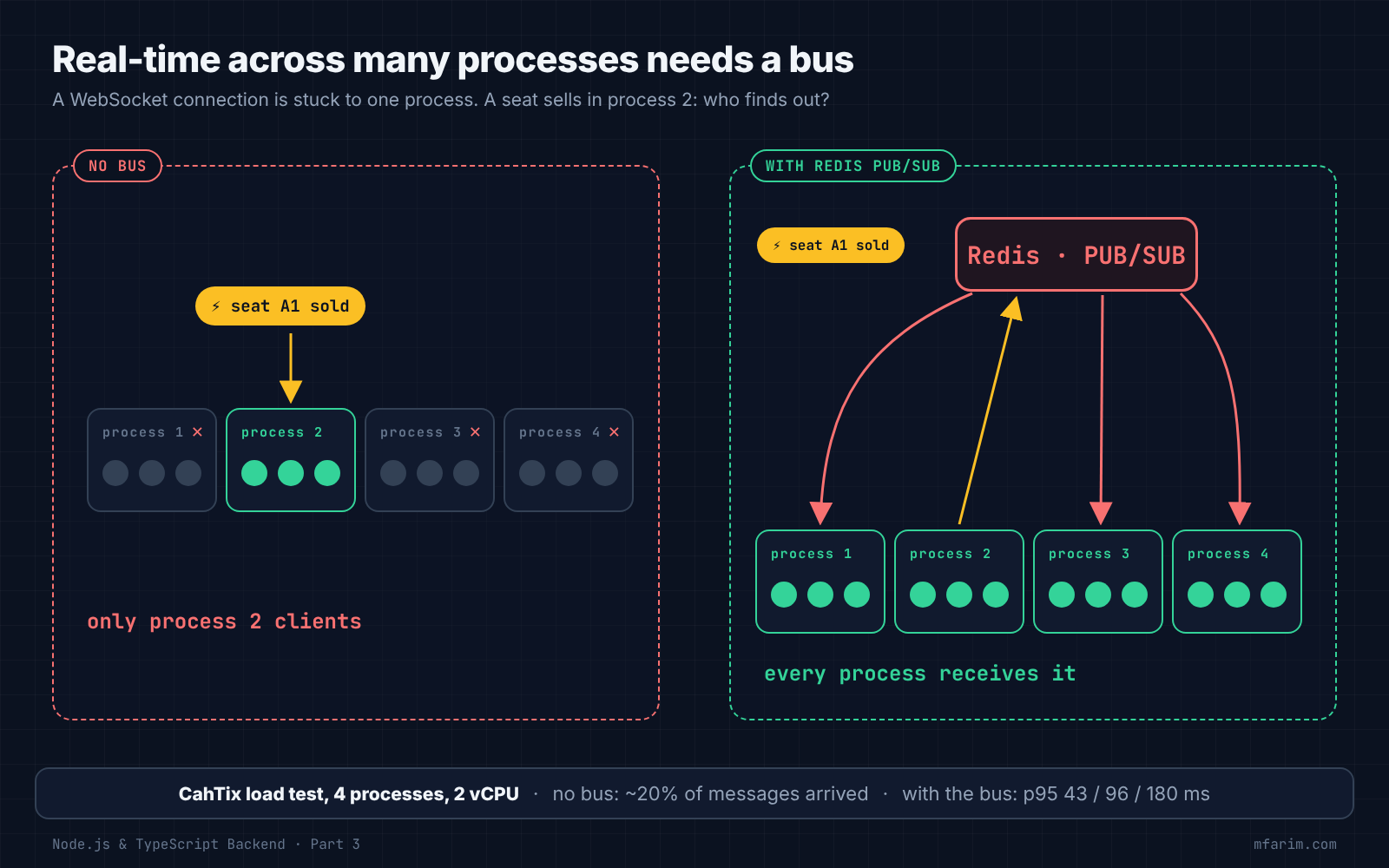
Click the diagram to see it full size.
WebSockets have a special problem: the connection is stuck to one process. If viewer A is connected to process 1, only process 1 can send them a message.
So when a seat sells in process 2, process 2 has to tell every other process, and each one forwards the news to its own clients. That link is called a bus, and Redis Pub/Sub is the simplest choice:
const Redis = require('ioredis');

const nama = process.argv[2];                 // "A" or "B"
const url = process.env.REDIS_URL ?? 'redis://localhost:6379';
const pub = new Redis(url);
const sub = new Redis(url);                   // the subscriber needs its own connection

// Pretend these are WebSocket clients connected to this process.
const klienLokal = [`penonton-${nama}1`, `penonton-${nama}2`];

function kirimKeKlienLokal(event) {
  for (const klien of klienLokal) console.log(`[${nama}] ${klien} <- kursi ${event.kursi} ${event.status}`);
}

sub.subscribe('kursi').then(() => console.log(`[${nama}] siap`));
sub.on('message', (_channel, pesan) => kirimKeKlienLokal(JSON.parse(pesan)));

// Called when a checkout succeeds, in any process.
function umumkan(event) {
  return pub.publish('kursi', JSON.stringify(event));
}

if (nama === 'A') setTimeout(() => umumkan({ kursi: 'A1', status: 'terjual' }), 500);
setTimeout(() => process.exit(0), 1000);
(kursi = seat, penonton = viewer, umumkan = announce, terjual = sold, siap = ready.) Run two processes, node bus.js A & node bus.js B. Only process A announces, but clients in both processes receive it:
[A] siap
[B] siap
[B] penonton-B1 <- kursi A1 terjual
[B] penonton-B2 <- kursi A1 terjual
[A] penonton-A1 <- kursi A1 terjual
[A] penonton-A2 <- kursi A1 terjual
Why a separate subscriber connection? After SUBSCRIBE, a Redis connection enters a special mode where it can only receive messages. It cannot run normal commands such as PUBLISH or GET.
If you use Socket.IO, @socket.io/redis-adapter does the same thing for you.
From my own project: CahTix
CahTix, a ticketing product I built, has a real-time seat map: when a seat sells, everyone looking at the same page sees it change. Its production traffic is still small and runs as one process, so this problem has not shown up there.
Before adding processes, I wanted to know what would happen. I ran a load test with 4 PM2 processes on one 2 vCPU machine:
- without a bus, only about 20% of the messages arrived. That makes sense: each event only reached clients on the same process, roughly one in four;
- with Redis Pub/Sub as the bus, p95 latency was 43 ms for 1,000 clients, 96 ms for 2,500 clients and 180 ms for 5,000 clients, all on the same machine.
The lesson: bugs like this stay invisible while the app runs as one process. Test with many processes before you actually need them.
Limits of Redis Pub/Sub
Remember question 5: Pub/Sub does not store messages. A process that is restarting misses whatever was sent while it was down. For a seat map that is acceptable, because a client that reconnects simply reloads the latest seat status from the database. For events that must not be lost, such as "payment succeeded, issue the ticket", use something that stores messages: Redis Streams, a queue such as BullMQ, or a cloud Pub/Sub service.
5. Cron on Many Instances: Make Sure It Runs Once
Question 4 has two fixes.
The cleanest one: take the scheduler out of the app. For example, Cloud Scheduler calls a /tasks/reminder endpoint once every morning. Only one instance receives that call.
The second one: keep it in the app, but grab a lock first. Only whoever gets the lock does the work:
const crypto = require('node:crypto');

async function runOnce(name, durationMs, work) {
  const owner = crypto.randomUUID();
  const gotIt = await redis.set(`lock:${name}`, owner, 'PX', durationMs, 'NX');
  if (gotIt !== 'OK') return; // another instance is already on it
  await work();
  // let the lock expire by itself, so a late instance does not repeat the job in the same period
}

setInterval(() => runOnce('daily-reminder', 23 * 60 * 60 * 1000, sendReminders), 60_000);
SET ... NX only succeeds when the key does not exist yet, and Redis guarantees only one caller gets OK. PX makes sure the lock is released even if the instance holding it dies.
6. What About Sticky Sessions?
Sticky sessions (or session affinity) make the load balancer send the same user to the same instance. It sounds like it solves in-memory sessions. In practice it only hides the problem:
- when that instance dies or is scaled down, its state is still lost,
- load can become uneven, because one instance ends up with the busiest users,
- on Cloud Run, session affinity is best effort, not a guarantee.
Sticky sessions are fine for efficiency (for example so a local cache gets more hits), but not for correctness. The app must still be right when the next request lands on another instance.
Summary
- Stateless: any instance can answer any request, and can be shut down at any time.
- Keep state outside the process: the database, Redis, object storage.
- Where state hides: sessions, rate limits, WebSocket clients, cron, local files, in-memory flags.
- Rate limiting with Redis: atomic
INCR+EXPIRE NX. In the test: 20 of 20 got through with aMap, exactly 5 with Redis. - Real-time: Redis Pub/Sub as a bus. Without a bus, the CahTix load test with 4 processes delivered only about 20% of messages. Pub/Sub does not store messages, so important events need Streams or a queue.
- Cron: a scheduler outside the app, or a lock with
SET NX PX. - Sticky sessions are for efficiency, not correctness.
Closing & What's Next
The rate limit from the opening is now correct, whether the app runs as 1 process or 40 instances.
There is one consequence of stateless we have not covered yet. If an instance can be shut down at any time, what happens to the request it is handling at that moment? For example, a payment that is only half recorded. That is the next part: graceful shutdown.
Grab your coffee, see you in the next part!

Written by Muhammad Fari Madyan
Senior Backend Engineer and co-founder of LampungDev. I write up what I build so others can learn from it.