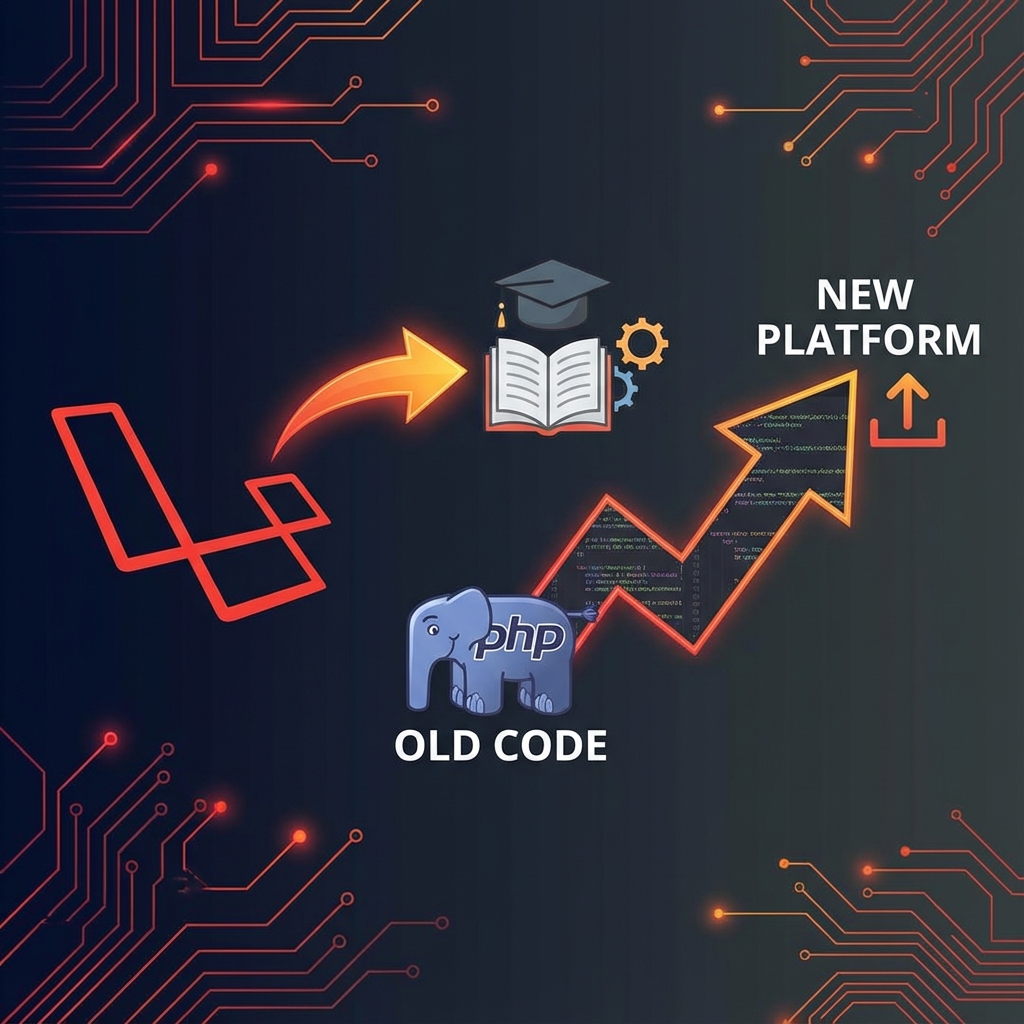
The Problem: A 7-Year-Old Codebase
Back in 2017, I built an e-learning platform for online examinations at a junior high school. It was written in Laravel 5.2 with PHP 5.6—the standard stack at the time.
Fast forward to 2026, and that codebase is still being used. It works, but:
- 🔴 Security vulnerabilities — Laravel 5.2 hasn't received security patches in years
- 🔴 PHP 5.6 is dead — Most hosting providers don't support it anymore
- 🔴 Modern features missing — No real-time updates, poor mobile experience
- 🔴 Maintenance nightmare — Dependencies are outdated, documentation is scarce
It was time for a complete rebuild.
What the Original System Does
Before diving into the upgrade, let me explain what this e-learning platform does:
For Students
- 📊 Dashboard — View enrolled courses and upcoming exams
- 📝 Online Examinations — Take timed exams with multiple choice questions
- 📈 Grade Reports — View exam results and overall progress
- 💬 Discussion Forums — Interact with teachers and classmates
For Teachers
- 📚 Exam Management — Create, edit, and schedule online exams
- ❓ Question Bank — Manage questions with different difficulty levels
- 📊 Analytics — View student performance and identify struggling areas
- 📋 Assignment Grading — Review and grade student submissions
The Upgrade Strategy
I considered two approaches:
| Approach | Pros | Cons |
|---|---|---|
| Incremental Upgrade | Less risky, keep existing code | 5.2 → 5.3 → 5.4 → ... → 11 (painful) |
| Full Rebuild | Clean slate, modern architecture | More effort upfront, migration needed |
I chose the full rebuild. Here's why:
- The jump is too big — Laravel 5.2 to 11 spans 9 major versions
- Architecture has evolved — Modern Laravel uses different patterns
- Better tools exist now — Filament, Livewire, and Inertia didn't exist in 2017
- Learning opportunity — Building from scratch means understanding every line
The New Tech Stack
Here's what I'm using for the rebuilt version:
| Component | Old (2017) | New (2026) |
|---|---|---|
| Framework | Laravel 5.2 | Laravel 12 |
| PHP | 5.6 | 8.3 |
| Admin Panel | Custom Blade | Filament 3 |
| Frontend | jQuery + Bootstrap | Livewire 3 + Tailwind |
| Authentication | Custom | Laravel Breeze |
| Database | MySQL 5.6 | MySQL 8 / PostgreSQL |
| Testing | None 😅 | Pest PHP |
| Deployment | FTP (yes, really) | GitHub Actions + VPS |
Key Architectural Decisions
1. Filament for Admin Panel
Instead of building custom admin CRUD from scratch, I'm using Filament 3. It provides:
// This is all you need for a complete CRUD
class ExamResource extends Resource
{
    protected static ?string $model = Exam::class;

    public static function form(Form $form): Form
    {
        return $form->schema([
            TextInput::make('title')->required(),
            DateTimePicker::make('start_time'),
            DateTimePicker::make('end_time'),
            Select::make('subject_id')
                ->relationship('subject', 'name'),
        ]);
    }
}
What took 500+ lines of custom code in 2017 now takes 50 lines with Filament.
2. Livewire for Real-Time Exam
The old exam system used JavaScript polling to check time remaining. Now with Livewire:
class TakeExam extends Component
{
    public Exam $exam;
    public int $timeRemaining;

    public function mount(Exam $exam)
    {
        $this->exam = $exam;
        $this->timeRemaining = $exam->duration_minutes * 60;
    }

    #[Computed]
    public function isTimeUp(): bool
    {
        return $this->timeRemaining <= 0;
    }
}
Real-time updates without writing custom WebSocket code.
3. Proper Testing from Day One
The original codebase had zero tests. The new version uses Pest PHP:
it('prevents students from taking expired exams', function () {
    $exam = Exam::factory()->expired()->create();
    $student = User::factory()->student()->create();

    actingAs($student)
        ->get(route('exams.take', $exam))
        ->assertForbidden();
});
Every feature is tested before it's considered "done."
Migration Strategy
The trickiest part is migrating data from the old system. Here's my approach:
Step 1: Export Old Data
-- Export from old MySQL database
SELECT * FROM siswa INTO OUTFILE '/tmp/students.csv';
SELECT * FROM guru INTO OUTFILE '/tmp/teachers.csv';
SELECT * FROM ujian INTO OUTFILE '/tmp/exams.csv';
Step 2: Transform to New Schema
// Laravel Seeder for migration
class MigrateOldDataSeeder extends Seeder
{
    public function run(): void
    {
        $oldStudents = json_decode(
            file_get_contents(database_path('legacy/students.json'))
        );

        foreach ($oldStudents as $old) {
            User::create([
                'name' => $old->nama_siswa,
                'email' => $old->email ?? $old->nis . '@school.local',
                'role' => 'student',
                'legacy_id' => $old->id,
            ]);
        }
    }
}
Step 3: Validate & Test
Run both systems in parallel, compare outputs, and verify data integrity.
Lessons Learned (So Far)
1. Don't Fear the Rebuild
Sometimes, the best refactor is a rewrite. The old codebase served its purpose, but clinging to it would have caused more pain long-term.
2. Modern Laravel is a Joy
The developer experience in Laravel 12 is incredible. Artisan commands, Tinker, Laravel Herd—everything just works.
3. Document As You Build
I'm writing this article as I build. It forces me to explain my decisions, which often reveals flaws in my thinking.
Complete Tutorial Series
This article is Part 1 of a complete series documenting the entire rebuild:
| Part | Topic | Link |
|---|---|---|
| 1 | Introduction & Why I'm Upgrading | ✅ This article |
| 2 | Setting Up Laravel 12 + Filament | Read → |
| 3 | Database Schema Design | Read → |
| 4 | User Authentication & Roles | Read → |
| 5 | Building the Exam System | Read → |
| 6 | Real-Time Features with Livewire | Read → |
| 7 | Testing Strategy | Read → |
| 8 | Deployment to Production | Read → |
The Repository
The original legacy codebase is available on GitHub:
🔗 mfarim/laravel-elearning — 42 ⭐ | 15 Forks
The new version will be released as a separate repository once it's ready for production.
Conclusion
Upgrading a 7-year-old Laravel application isn't just about changing version numbers—it's about rethinking architecture, adopting modern tools, and building something that will last another 7 years.
If you're facing a similar legacy upgrade challenge, I hope this series helps you navigate the process. Feel free to reach out with questions or share your own upgrade stories!
Have a legacy Laravel app that needs upgrading? I offer consultation services for Laravel modernization. Get in touch.